How to View Your CCTV Camera on Mobile Using the App: Step-by-Step
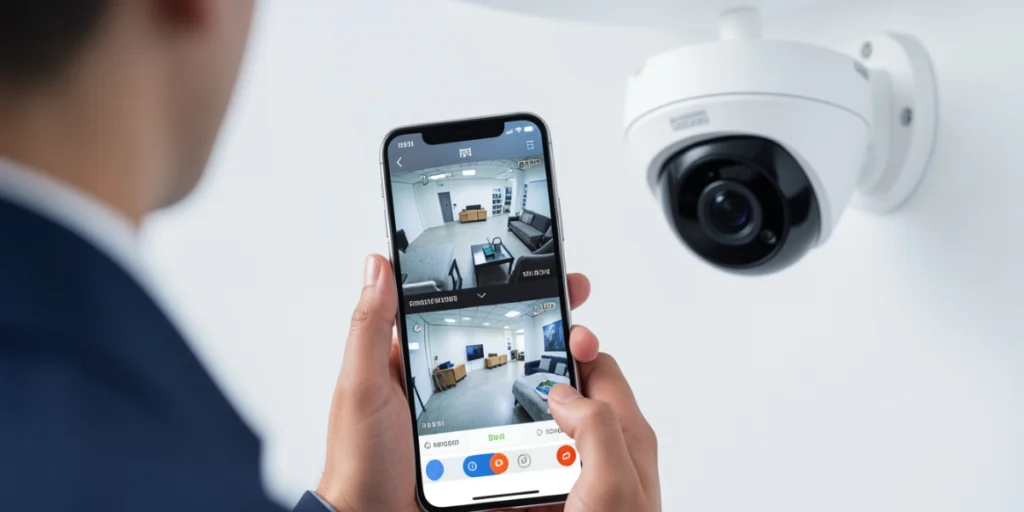
Modern CCTV technology enables you to monitor your home or business from anywhere via mobile applications. Learning how to connect a CCTV camera to a mobile phone is essential for maximizing your security investment.
This guide walks you through connecting your camera to your smartphone for reliable monitoring.
Why Monitor Your CCTV on Your Mobile Device?
Remote monitoring through mobile apps has revolutionized security systems. Instead of being confined to a computer or requiring physical monitors, users can now access live surveillance feeds directly from their smartphones, regardless of their location. This flexibility transforms a traditional CCTV system into a highly responsive and dynamic security tool.
It provides real-time alerts and immediate notifications of any suspicious activity, enabling users to respond quickly and effectively. Mobile monitoring enhances overall safety, offering convenience and peace of mind at all times.
The Ultimate Guide to CCTV Mobile App Setup
The guide covers how your CCTV system connects to your smartphone through the internet. Most modern systems use IP cameras or NVR (Network Video Recorder) systems that transmit data through your connection. Your mobile app acts as a secure portal, enabling encrypted communication between your phone and camera.
Each camera brand requires a different app, so download the correct version for your equipment. The setup process involves downloading the app, creating an account, and establishing a connection between devices.
Ensure your CCTV system has an active internet connection through Ethernet or Wi-Fi, and your mobile device has stable connectivity. You’ll need your camera’s IP address, username, and password from your documentation. Download the correct app version for your camera model.
Step-by-Step Process: How to Connect a CCTV Camera to a Mobile Phone
Connecting your CCTV system to your mobile phone involves several distinct phases, each broken into manageable, easy-to-follow steps.
· Phase One: Download and Install the Mobile App
Visit your device’s app store and search for your camera brand combined with “CCTV” or “security.” Download the official application directly from the manufacturer to ensure security and compatibility. Once installed, open the app and create an account with a valid email and secure password. This account is your gateway to remotely accessing cameras.
· Phase Two: Add Your Camera to the App
Look for “Add Device” or “Add Camera” options. Most applications offer multiple connection methods, including QR code scanning, manual IP address entry, or device ID input. QR code scanning provides the easiest approach for most users, eliminating typing errors.
· Phase Three: Establish Your Network Connection
Your camera must connect to the same Wi-Fi network as your phone during setup. Navigate to camera settings through the app, select your Wi-Fi network, and enter your password. Wait for “connected” status before proceeding. If the connection fails, verify your Wi-Fi password accuracy.
How to Watch CCTV on the Mobile App
Once your camera successfully connects, open the app and select your camera. Your live stream displays immediately with control options overlaid on the video. Common features include recording buttons, snapshot options, and two-way audio functionality. Explore these features to understand your app’s full capabilities.
Setting up an online viewing setup for the CCTV camera requires careful consideration of local internet infrastructure and security protocols. Many properties use CCTV systems for reliable monitoring despite power or internet issues. For remote viewing, include backup power for the recorder and router, such as UPS units, to avoid gaps during outages. Use wired Ethernet instead of Wi-Fi for better stability.
For businesses across Pakistan, remote access via mobile apps provides essential security oversight to protect valuable assets and employees. If you operate retail establishments, offices, or warehouses, view the CCTV camera on a smartphone remotely with confidence that you’re receiving reliable, real-time data from your security system.
To explore comprehensive range of CCTV cameras in Pakistan for your properties, consider consulting our experts at our website. We understand local infrastructure challenges and recommend systems optimized for Pakistan’s climate and internet. We can guide you through complex setups and ensure your remote monitoring works seamlessly.
Advanced Features and Security Considerations
Many CCTV apps include advanced features that enhance your monitoring capabilities.
- Two-way audio functionality allows communication through your camera, useful for deterring intruders or communicating with family members.
- Motion detection notifications alert you immediately when movement occurs near your camera, enabling a rapid response to potential security threats.
Regarding security, always use strong, unique passwords for your CCTV accounts, separate from other online accounts. Enable two-factor authentication if your app supports it to add an extra layer of protection against unauthorized access. Regularly update your app and camera firmware to patch security vulnerabilities and maintain optimal system performance.
Troubleshooting Common Connection Issues
Despite following the setup instructions correctly, connection problems sometimes occur. If your app shows your camera offline, first verify that your camera has power and network connectivity. Check your Wi-Fi router to ensure it’s broadcasting properly. Restart both your mobile device and camera by powering them off, waiting 30 seconds, then restarting them.
If problems persist, check that your app version is up to date by visiting your device’s app store. Outdated applications sometimes experience compatibility issues with newer camera firmware. Reinstalling the app occasionally resolves lingering problems that updates alone cannot fix. These troubleshooting steps resolve the most common connectivity issues quickly.
Final Thoughts
Successfully learning how to watch CCTV on the mobile app empowers you to take control of your security monitoring with unprecedented flexibility. Connecting your camera to your smartphone may seem complex initially, but it becomes simple with these steps. Your remote access turns your CCTV into a powerful security tool anywhere. If it’s for small homes or large commercial sites, mobile app monitoring offers real-time insights to enhance security. As threats evolve, staying connected becomes crucial. Contact professional security providers if setup issues occur.
If you’re upgrading your property’s security and looking for high-quality surveillance solutions, explore the latest Hikvision camera prices in Pakistan at our website. Our team provides expert guidance to help you select the right system based on your property’s layout, security requirements, and monitoring goals.
Related


Lets's Get Social
We are a dedicated professional company that deliver high-quality cameras all over Pakistan

SEO Team
Share On
Related Post