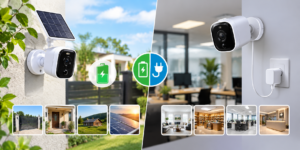
Cloud Storage vs Local Storage: Which Is Better for CCTV Systems?

If you have ever shopped for a security camera system, you already know the setup process brings up one big question: where should all that footage actually live? It is not just a technical detail. It decides how quickly you can pull up an important clip, how safe your recordings are if a camera gets stolen, and how much you end up spending over time. For homeowners and business owners in Pakistan, this decision matters even more, given the mix of internet reliability, budget considerations, and the growing need for solid home and workplace security.
This guide breaks down cloud vs local CCTV storage, so you can decide which setup actually fits your property.
Understanding the Two Storage Methods
Before comparing the two, it helps to know what each one means and how the footage travels from your camera to its final destination.
· How Does Local CCTV Storage Work?
Local storage keeps your recordings physically close to your cameras. Most systems rely on a DVR or NVR with a built-in hard drive, while smaller setups often use a microSD card inside the camera. With a conventional local-storage setup, recordings are stored on hardware at the property, such as a DVR, NVR, or camera memory card, unless the system is also configured for remote backup or cloud storage.
This method has been the standard for CCTV setups for years, largely because it does not depend on a stable internet connection to keep recording.
· How Does CCTV Cloud Storage Work?
Cloud storage takes a different route. Your camera compresses the video and uploads it to a remote data center managed by a service provider over the internet. From there, you can log in through an app or web portal and view your footage from practically anywhere, whether you are at home, at the office, or traveling.
For cloud-based systems that rely on continuous uploading, internet reliability can affect how quickly footage reaches the cloud. However, some cloud and hybrid systems use local storage or buffering to continue recording during short network outages.
Cloud vs Local CCTV Storage: A Side-by-Side Look
Numbers and features aside, the real difference comes down to how each option handles security, access, and day-to-day reliability. Here is a simple breakdown to make the comparison easier.
| Factor | Local Storage | Cloud Storage |
| Internet dependency | Not required to record. | Usually required for cloud upload and remote access. |
| Remote access | Limited or app-dependent. | Available from any device. |
| Physical risk | Vulnerable if hardware is stolen or damaged. | Uploaded footage can remain available even if the camera or on-site hardware is damaged or stolen. |
| Data control | Fully in your hands. | Managed by the service provider. |
| Setup effort | One-time hardware installation. | Account setup and subscription plan. |
| Scalability | Requires added hardware. | Easier to expand storage remotely. |
It is also worth thinking about your internet connection before committing to a cloud-based system. Continuous uploading of high-resolution video uses a fair amount of bandwidth, and depending on the system, frequent connection problems can interrupt cloud uploads or delay access to footage. Systems with local buffering or hybrid storage can reduce this risk right when you need it most. Local storage sidesteps this issue entirely, since recording continues regardless of what your internet is doing.
Neither column is automatically “better.” It really depends on what you are trying to protect and how you plan to use the footage.
Camera Accessories Worth Considering for Security Purposes
Whichever storage method you lean toward, the right security camera accessories can make a real difference in your system’s performance. Weatherproof housings, extra hard drives, power backup units, and quality cabling all support smoother recording, whether your footage stays local or heads to the cloud.
If you are putting together or upgrading a system, we offer a wide selection of accessories and cameras built for homes and businesses across Pakistan, along with guidance on choosing the right combination for your property.
Is Cloud Storage Better for CCTV Than Local Storage?
This is the question most people actually want answered, and honestly, there is no single correct response. It depends on your priorities.
When Local Storage Tends to Win
- You want footage stored without relying on internet uptime
- You prefer not to pay any ongoing subscription
- You are comfortable managing your own hardware and backups
- Your property already has a stable place to house a DVR or NVR
When Cloud Storage Tends to Win
- You want to check your cameras while away from the property
- You are worried about theft or damage to on-site equipment
- You manage multiple locations and want centralized access
- You prefer automatic backups without manual effort
For some businesses and households in Pakistan, a hybrid setup can offer a useful middle ground, keeping a local recorder for uninterrupted recording while also backing up important footage to the cloud.
How Long Does CCTV Footage Stay Stored?
Another common concern is retention: how long CCTV footage is stored and whether the storage method affects this. With local storage, once the hard drive or memory card reaches capacity, new recordings overwrite older footage. With cloud storage, retention is usually tied to the plan or service tier you choose, and providers often let you customize how long recordings are kept before they are deleted.
- Storage capacity of the hard drive or memory card.
- Video resolution and frame rate settings.
- If the system runs constantly or only activates when motion is detected.
- The retention policy set by your cloud provider.
If keeping a longer history of footage matters to you, discuss storage capacity and retention settings with your installer before finalizing a system.
FAQs
1. Does cloud CCTV storage still work during a power outage or internet dropout?
It depends on the system. Cloud storage generally needs an internet connection to upload footage, but some cloud and hybrid CCTV systems use onboard storage or local buffering to keep recording during temporary internet outages and upload the footage once the connection returns. During a power outage, the camera and recorder also need backup power, such as a UPS, to continue operating.
2. Can I switch from local storage to cloud storage without buying new cameras?
It depends on your camera model. Many newer IP cameras support local and/or cloud recording, but older analog systems may need a compatible DVR, encoder, recorder, or other cloud-enabled hardware before cloud storage becomes an option.
3. Is footage stored in the cloud safe from hackers?
Reputable providers use measures such as encryption and access controls to protect uploaded footage. However, cloud storage is not risk-free, so strong passwords and two-factor authentication remain important.
4. Can I use both local and cloud storage at the same time?
A hybrid setup can record locally while also backing up selected or all footage to the cloud, depending on how the system is configured. This can help protect your recordings if on-site hardware is stolen or damaged.
5. Does cloud storage cost more than local storage over time?
It depends on your setup and usage. Local storage typically incurs a one-time hardware cost with no recurring fees, whereas cloud storage is subscription-based. The better fit really comes down to how much footage history you need and whether remote access matters to you.
Final Thoughts
There isn’t a universal winner here. For some properties, combining both approaches can provide useful redundancy, since each method can offset some of the other’s weaknesses. Whatever direction you choose, the goal stays the same: reliable footage when you actually need it. Take some time to think through your property’s needs, your internet reliability, and how often you would realistically want to check in remotely before settling on a setup.
For anyone comparing options for a reliable CCTV camera in Pakistan, we offer a solid range of local and cloud-compatible systems suited to homes, shops, and offices, along with support to help you choose a setup that matches how you plan to use it.


Lets's Get Social
We are a dedicated professional company that deliver high-quality cameras all over Pakistan

Shariq Tahir
Share On
Related Post