Common Wi-Fi Problems That Affect CCTV Camera Performance
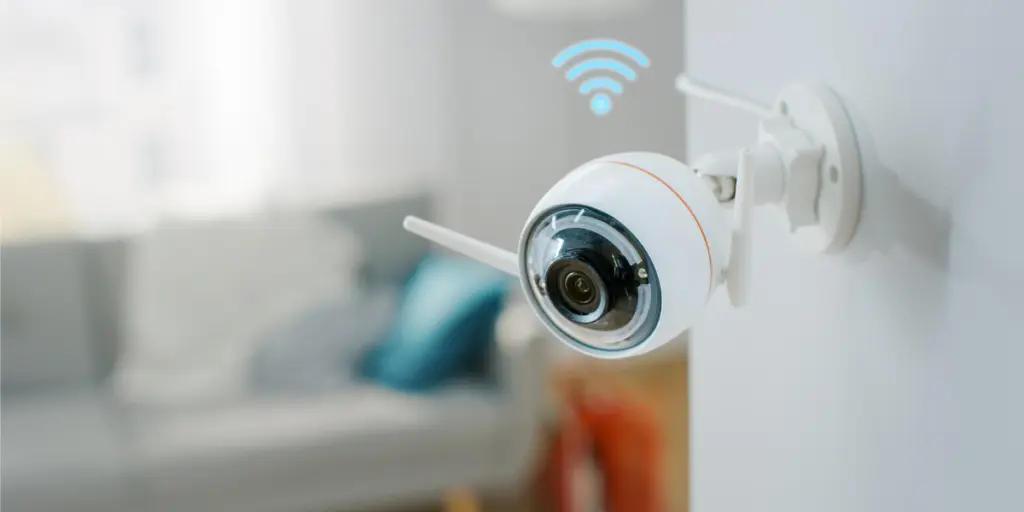
A wireless CCTV camera is only as good as the network carrying its footage. Across Pakistan, more homeowners and business owners switch to Wi-Fi security cameras because they’re easier to install without running cables. Often, the camera works well for days, then buffers, alerts delay, or it drops offline, but the issue is usually not the camera itself. The issue may instead be the Wi-Fi network, router, or physical environment around the camera.
This guide explains the most common Wi-Fi problems affecting CCTV cameras, how to identify them, and what you can do to improve your camera’s connection.
Why Does Your Wi-Fi CCTV Camera Keep Disconnecting?
“Why does my Wi-Fi CCTV camera keep disconnecting?” is one of the most common questions CCTV owners ask, and it often comes down to signal strength, network congestion, interference, or router-related issues. A camera that keeps disconnecting is usually struggling to maintain a stable link to the router, not failing on its own.
· Signal Range and Physical Obstructions
Every wall, ceiling, and piece of furniture between the camera and the router weakens the Wi-Fi signal. Concrete and brick construction, which is common in many Pakistani homes and commercial buildings, can weaken Wi-Fi signals more than lightweight interior walls. A camera mounted at an entrance, rooftop, or boundary wall may be too far from the router to maintain a consistent connection, especially if multiple walls are in between.
· Router Overload from Too Many Connected Devices
Modern households run dozens of connected devices at once, from phones and smart TVs to laptops and smart-home gadgets. A basic router provided by an internet service provider often cannot handle this load efficiently. When many devices compete for bandwidth at the same time, camera feeds may buffer, alerts may be delayed, video quality may drop, or, in severe cases, connections may drop.
Common Wi-Fi Problems with Security Cameras
Beyond disconnections, several recurring network issues affect how well a security camera performs day to day. Understanding these patterns makes troubleshooting far quicker.
- Delayed motion alerts and notifications.
- Choppy or frozen live viewing.
- Recordings that fail to upload to the cloud.
- Cameras that appear “offline” in the app despite having power.
- Video quality that drops automatically during peak usage hours.
| Common Problem | Likely Cause | Quick Fix |
| Camera keeps disconnecting. | Weak signal or router overload. | Move the camera closer to the router or improve Wi-Fi coverage. |
| Live view keeps buffering | Weak Wi-Fi, congestion, or insufficient bandwidth | Reduce video resolution or upgrade internet plan. |
| Delayed motion alerts. | Network congestion. | Prioritize camera traffic through QoS/device-priority settings if supported. |
| Camera won’t reconnect after power outage. | Router or camera failed to auto-reconnect. | Restart both devices and check app settings. |
| Frequent random dropouts. | Interference from other electronics. | Relocate router away from appliances. |
Common Reasons a Wireless CCTV Camera Stops Working
Many users ask, “Why is my wireless CCTV camera not working?”, when the real issue is an unstable Wi-Fi connection. When a camera stops working altogether rather than just performing poorly, the cause is often more specific than a general Wi-Fi issue.
· Firmware and App Glitches
Outdated firmware can sometimes contribute to connectivity problems. Manufacturers may release firmware updates that fix bugs, improve compatibility, or address network-related issues. Checking for updates through the manufacturer’s app is a simple first step before assuming there is a hardware fault.
· Power Supply Interruptions
A camera that loses power, even briefly, may not automatically reconnect to the network afterward. This is especially relevant in areas that experience frequent power interruptions, where cameras need a stable power source and, ideally, a backup option to stay online consistently.
Popular products can experience the same underlying network challenges described above, since the issue is rarely about the brand and almost always about the network environment in which the camera is placed. If your camera struggles regardless of brand, consider having a professional review your setup instead of replacing the device.
We offer guidance and installation support for homes and businesses looking to build a more dependable wireless camera network. Keep your property protected with reliable surveillance that stays connected when it matters most. Browse our selection of EZVIZ cameras and find a security solution for your needs.
What Causes a Weak Signal in CCTV Cameras?
Many homeowners ask, “Why does my CCTV camera have a weak signal?”, when poor Wi-Fi coverage affects camera performance. A weak signal reading in the camera app usually points to a combination of distance, obstruction, and router placement rather than a single cause.
· Building Materials and Wall Interference
As mentioned earlier, dense building materials significantly reduce Wi-Fi strength. Metal gates, reinforced concrete, and thick boundary walls are especially effective at blocking signals, which explains why outdoor and perimeter cameras often report weaker signal strength than indoor ones.
· Poor Router Placement
A router tucked away in a cupboard, placed on the floor, or positioned in a corner of the house will never distribute signal evenly. Routers work best when placed in a central, elevated, and open location, away from thick walls and large electronic appliances that can interfere with the wireless signal.
How to Improve CCTV Camera Wi-Fi Signal
The good news is that most of these problems have straightforward solutions that do not require replacing the entire camera system.
- Reposition the router to a central, open location.
- Use a Wi-Fi extender or mesh system for larger properties.
- Switch the camera to the 2.4GHz band for better range.
- Limit non-essential devices on the network during peak hours.
- Keep the router and camera firmware updated.
- Restart the router periodically to clear temporary connection issues.
· Consider a Dual-Band or Mesh Router
A dual-band router lets you place cameras on the 2.4 GHz band when longer range and better wall penetration are priorities, while other compatible devices can use 5 GHz for higher speeds at shorter ranges. For larger homes, farmhouses, or commercial properties, a mesh Wi-Fi system extends coverage evenly across multiple access points, significantly reducing dead zones near boundary walls and in outdoor areas.
· Mesh Systems vs. Single Range Extenders
A range extender can improve coverage in smaller areas, while a properly configured mesh system can provide more consistent coverage across multiple access points. This can reduce dead zones at locations with fixed cameras.
· Reduce Electronic Interference
Household electronics such as microwaves, cordless phones, and baby monitors can interfere with Wi-Fi signals. Keeping the router away from these devices and large metal objects helps maintain a cleaner, more stable connection for the camera.
FAQs
1. Why does my Wi-Fi CCTV camera keep disconnecting?
Common causes include weak signal strength, network congestion, wireless interference, router issues, and power interruptions. If the camera is far from the router or behind thick walls, or if too many devices compete for bandwidth at once, the connection can become unstable.
2. What are the most common Wi-Fi problems with security cameras?
The most frequent issues are delayed motion alerts, buffering live feeds, failed cloud uploads, and cameras that show as “offline” despite having power. Most of these trace back to signal strength, router placement, or network congestion rather than a faulty camera.
3. Why is my wireless CCTV camera not working even though it has power?
This usually points to outdated firmware, a temporary app or router glitch, or a brief power interruption that prevented the camera from reconnecting automatically. Restarting both the camera and router, then checking for firmware updates, resolves most of these cases.
4. How can I improve my CCTV camera’s Wi-Fi signal?
Repositioning the router to a central, open location, switching the camera to the 2.4GHz band, and adding a mesh system or extender for larger properties are the most effective fixes. Keeping firmware up to date and limiting non-essential devices during peak hours also helps.
5. Why does my CCTV camera show a weak Wi-Fi signal?
Weak signal readings usually come from distance, building materials, or poor router placement. Concrete walls, metal gates, and boundary walls are common culprits, which is why outdoor and perimeter cameras tend to report weaker signals than indoor units.
Final Thoughts
A wireless CCTV camera can only perform as reliably as the network supporting it. Most disconnections, weak signals, and delayed alerts trace back to router placement, network congestion, or building interference rather than a faulty camera. By addressing these network fundamentals, homeowners and businesses can enjoy far more consistent monitoring without constantly troubleshooting dropped connections.
Get dependable CCTV cameras in Pakistan, network-optimized installation, and ongoing support from us. We can help design a wireless security setup built for real-world conditions!


Lets's Get Social
We are a dedicated professional company that deliver high-quality cameras all over Pakistan

Shariq Tahir
Share On
Related Post