Signs Your CCTV Camera Needs Maintenance
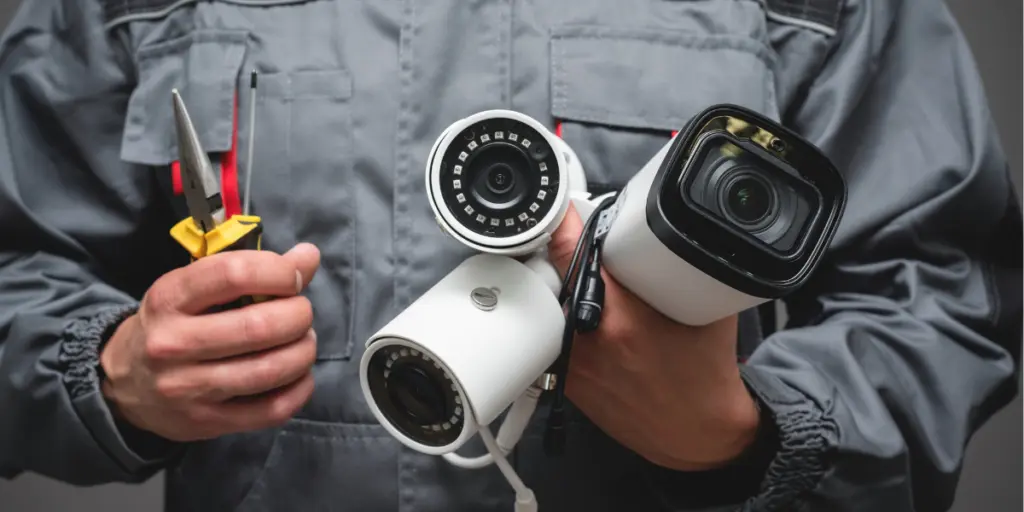
A CCTV system is only as good as its weakest camera. You install it once, feel reassured, and then forget about it until the one night you actually need clear footage and the recording turns out grainy, dark, or missing altogether. Some security failures can develop quietly between installation and the moment you actually need footage.
Spotting the signs your CCTV camera needs maintenance early can save you from exactly that kind of disappointment. Below, we walk through what to watch for, how often servicing should happen, and what a proper maintenance routine actually looks like.
Why CCTV Maintenance Matters for Every Property
Cameras are exposed to heat, dust, humidity, and continuous operation, all of which can contribute to wear over time. What isn’t inevitable is losing footage of an actual incident because nobody noticed the system had degraded.
An unmaintained CCTV system can continue operating with degraded footage or eventually stop recording altogether, sometimes without an obvious warning. For homes, offices, warehouses, or retail outlets, that’s a security gap sitting right where you least expect it.
Signs Your CCTV Camera Needs Maintenance
Many CCTV problems show warning signs before they develop into more serious failures. The trick is knowing what to look for and not dismissing small issues as unimportant.
· Blurry or Distorted Footage
If footage that used to be sharp now looks soft, foggy, or slightly out of focus, the lens may be dirty, scratched, or knocked out of alignment. This is usually one of the earliest and most obvious signs of a problem.
· Frequent Disconnections or Signal Drops
Does your feed keep cutting out, freezing, or reconnecting on its own? Possible causes include loose wiring, unstable power, network problems, or interference, depending on the type of CCTV system.
· Night Vision Isn’t Working Properly
If the footage becomes unusable after dark, or the infrared LEDs produce a washed-out glow instead of a clear image, the IR illumination, lens, settings, or other camera components may need attention.
· Camera Won’t Pan, Tilt, or Zoom
For PTZ cameras, sluggish or unresponsive movement can indicate a power, control, mechanical, or motor-related issue that needs attention.
· Physical Damage or Visible Wear
Cracked housing, water inside the casing, exposed wires, or a camera that has visibly shifted position all call for a prompt inspection.
How to Know If a CCTV Camera Is Failing
Some problems are visible immediately, but others only show up when you actually test the system rather than just glancing at it.
Here’s a quick reference for matching what you’re seeing to what’s likely causing it:
| Symptom You Notice | Possible Cause | Urgency |
| Grainy or blurry video | Dirty or scratched lens | Moderate |
| Camera offline intermittently | Loose cable or weak network | High |
| Poor night vision | Faulty IR LEDs/illuminator, dirty lens, or incorrect settings | Moderate |
| No footage saved | Storage, recording settings, or DVR/NVR fault | High |
| Camera physically misaligned | Mounting damage or tampering | High |
| App shows camera as unreachable | Power or connectivity issue | High |
If more than one of these symptoms appears together, it’s a strong sign that the whole system, not just one camera, needs a professional look.
Common CCTV Camera Problems in Pakistani Homes and Businesses
Local conditions play a real role in how quickly a system develops issues. Several issues can be especially important to consider in Pakistani installations:
- Voltage fluctuations and power outages that stress DVRs and cameras.
- Dust accumulation on lenses and housings, especially in open or semi-outdoor installations.
- Heat exposure affecting internal components over long summers.
- Weak or unstable internet connections disrupting remote viewing.
- Storage problems or incorrect recording settings that prevent new footage from being saved.
These are common CCTV camera problems that rarely announce themselves loudly. They build up gradually, which is exactly why routine checks matter more than reacting only when something visibly breaks.
If your current setup is already showing more than one of these issues, it may be more practical to upgrade than keep patching an aging system. Get professional CCTV camera installation in Pakistan through us. We can help you choose and configure equipment appropriate for your property’s needs.
How Often Should CCTV Cameras Be Serviced?
There isn’t one universal maintenance schedule for every property. For many systems, a monthly visual and functional check is a practical baseline, while more thorough inspections can be scheduled quarterly or according to the manufacturer’s recommendations and site conditions.
Factors That Affect Maintenance Frequency
A few things shift how often your system should be checked:
- Outdoor cameras exposed to dust, heat, or rain need more frequent attention than indoor units.
- Properties with high foot traffic or higher security risk benefit from more regular checks.
- Older systems typically require closer monitoring than newer ones.
- Locations prone to frequent power interruptions should have their backup power checked more often.
CCTV Camera Maintenance Checklist
A structured routine makes it far easier to catch problems early rather than discovering them after something goes wrong.
Monthly Checks
- Wipe camera lenses and housings clean of dust.
- Confirm all cameras are online and streaming.
- Check that footage is actually being recorded and saved.
- Test remote access through your phone or app.
Quarterly and Seasonal Checks
- Inspect cables and connectors for wear or corrosion.
- Confirm mounting brackets are secure and cameras haven’t shifted.
- Test night vision after dark.
- Check available storage space and back up important footage.
- Check for and apply firmware updates where recommended by the manufacturer.
When to Call a Professional
If you notice recurring disconnections, storage failures, or physical damage, it’s worth bringing in a technician rather than attempting repairs yourself, particularly for wiring and power-related issues.
Frequently Asked Questions
1. How do I know if my CCTV camera lens needs cleaning?
If footage looks hazy, has a soft glow around lights, or appears less sharp than before, dust or smudges on the lens can be the cause, and cleaning may resolve the issue.
2. Can extreme heat damage CCTV cameras?
Yes. Prolonged heat exposure can affect internal components and shorten a camera’s lifespan, which is why properly rated outdoor cameras and shaded mounting positions matter in hot climates.
3. Why does my camera keep going offline even though the power is on?
Possible causes include network instability, loose cable connections, power problems, router or switch issues, firmware problems, or a fault with the camera itself. Checking the connections and power supply first is a good starting point.
4. Is DIY maintenance enough, or should I always hire a professional?
Basic tasks like cleaning lenses and checking connections are fine to do yourself. Wiring issues, storage failures, or internal faults are best left to a trained technician.
5. What happens if I skip CCTV maintenance altogether?
Skipping maintenance increases the risk of missed footage, unnoticed blind spots, recording failures, and equipment problems, sometimes without an obvious warning until the footage is actually needed.
Final Thoughts
A CCTV system works quietly in the background right up until the moment you need it, and that’s precisely why regular attention matters. Watching for early warning signs, following a consistent maintenance checklist, and addressing problems before they escalate keeps your footage reliable when it counts most.
If you’re maintaining an existing setup or exploring a new EZVIZ security camera system, we can help you choose equipment suited to your property and keep it performing as it should.


Lets's Get Social
We are a dedicated professional company that deliver high-quality cameras all over Pakistan

Shariq Tahir
Share On
Related Post